


Dashboard Widgets
WooCommerce adds dashboard widgets to your WordPress admin dashboard so you can monitor store activity at a glance. All stores can use the WooCommerce Status widget. When product reviews are enabled and your user account can manage orders, you can also use the WooCommerce Recent Reviews widget. During initial store setup, the WooCommerce Setup widget can appear alongside them. If you use WordPress Multisite with multiple stores, the WooCommerce Network Orders widget appears on the main site dashboard.
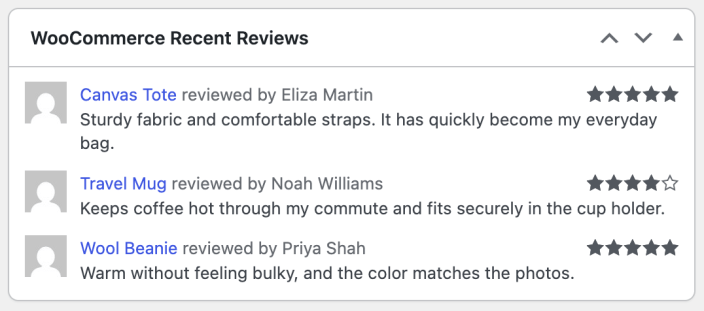
To customize which widgets appear on your dashboard, select Screen Options in the upper-right corner of the screen. This opens the Screen elements panel, where you can toggle individual widgets on or off. The options displayed depend on your installed plugins, the current page, whether Multisite is enabled, and your hosting environment.
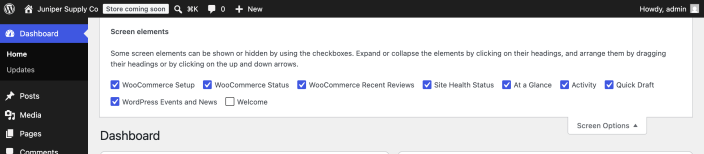
WooCommerce Setup widget
If you have not completed store setup, the WooCommerce Setup widget appears on your dashboard with your next setup task. The WooCommerce Status and WooCommerce Recent Reviews widgets can appear alongside it during setup. The Setup widget disappears after you complete or dismiss the setup task list.
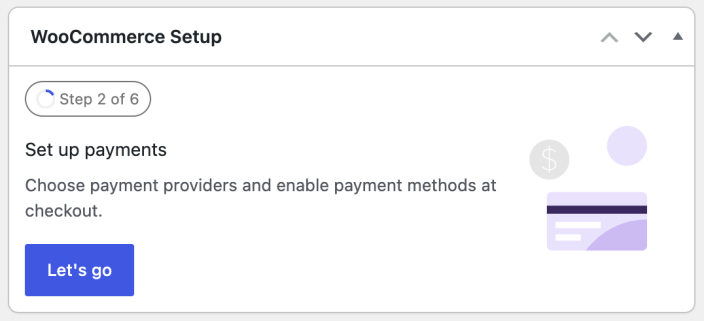
WooCommerce Status widget
The WooCommerce Status widget shows your store’s current activity, including:
- Net sales for the current month
- Your top seller for the current month
- Order counts for the Awaiting processing and On-hold statuses
- Product counts for the Low in stock and Out of stock statuses
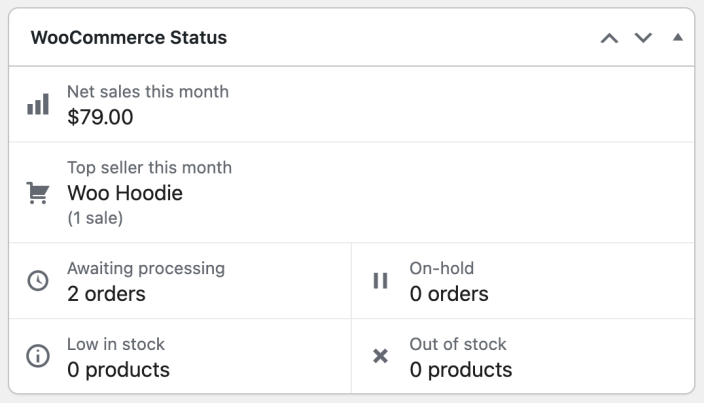
WooCommerce Recent Reviews widget
The WooCommerce Recent Reviews widget appears when product reviews are enabled and your user account can manage orders. It displays your store’s most recent product reviews. Each review entry includes the following details:
- Reviewer’s Gravatar
- Link to the reviewed product
- Reviewer’s name
- Short snippet of the review text
- Star rating
If a reviewer does not have a Gravatar, WooCommerce shows the Default Avatar selected under Settings > Discussion.
WooCommerce Network Orders widget
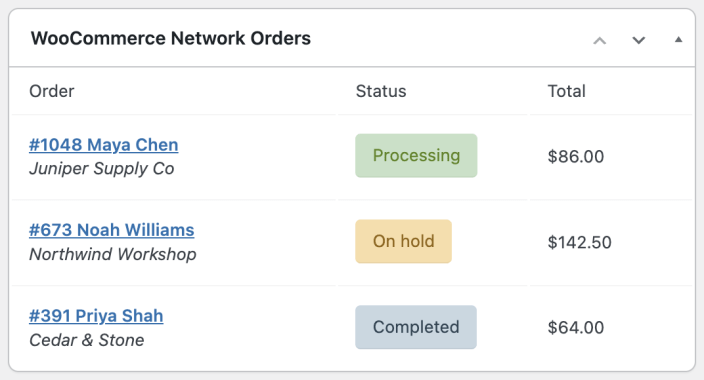
If you run a WordPress Multisite network, the WooCommerce Network Orders widget appears on the main site dashboard. It shows recent order information from all sites in your network. Each order number links directly to the order details screen for the corresponding store.
Questions and support
Do you still have questions and need assistance?
This documentation is about the free, core WooCommerce plugin, for which support is provided in our community forums on WordPress.org. By searching this forum, you’ll often find that your question has been asked and answered before.
If you haven’t created a WordPress.org account to use the forums, here’s how.
- If you’re looking to extend the core functionality shown here, we recommend reviewing available extensions in the WooCommerce Marketplace.
- Need ongoing advanced support or a customization built for WooCommerce? Hire a Woo Agency Partner.
- Are you a developer building your own WooCommerce integration or extension? Check our Developer Resources.